
Platform Functionalities
Governy turns compliance work that usually lives in scattered spreadsheets, shared drives and email threads into a single, structured platform. This page walks through everything the platform does, organised the way teams actually work: assess, analyse risks, document, collaborate and report. No technical background is required to follow along. The interface is designed to stay clean and uncluttered, so even occasional contributors are productive from their first sign-in.
The big picture
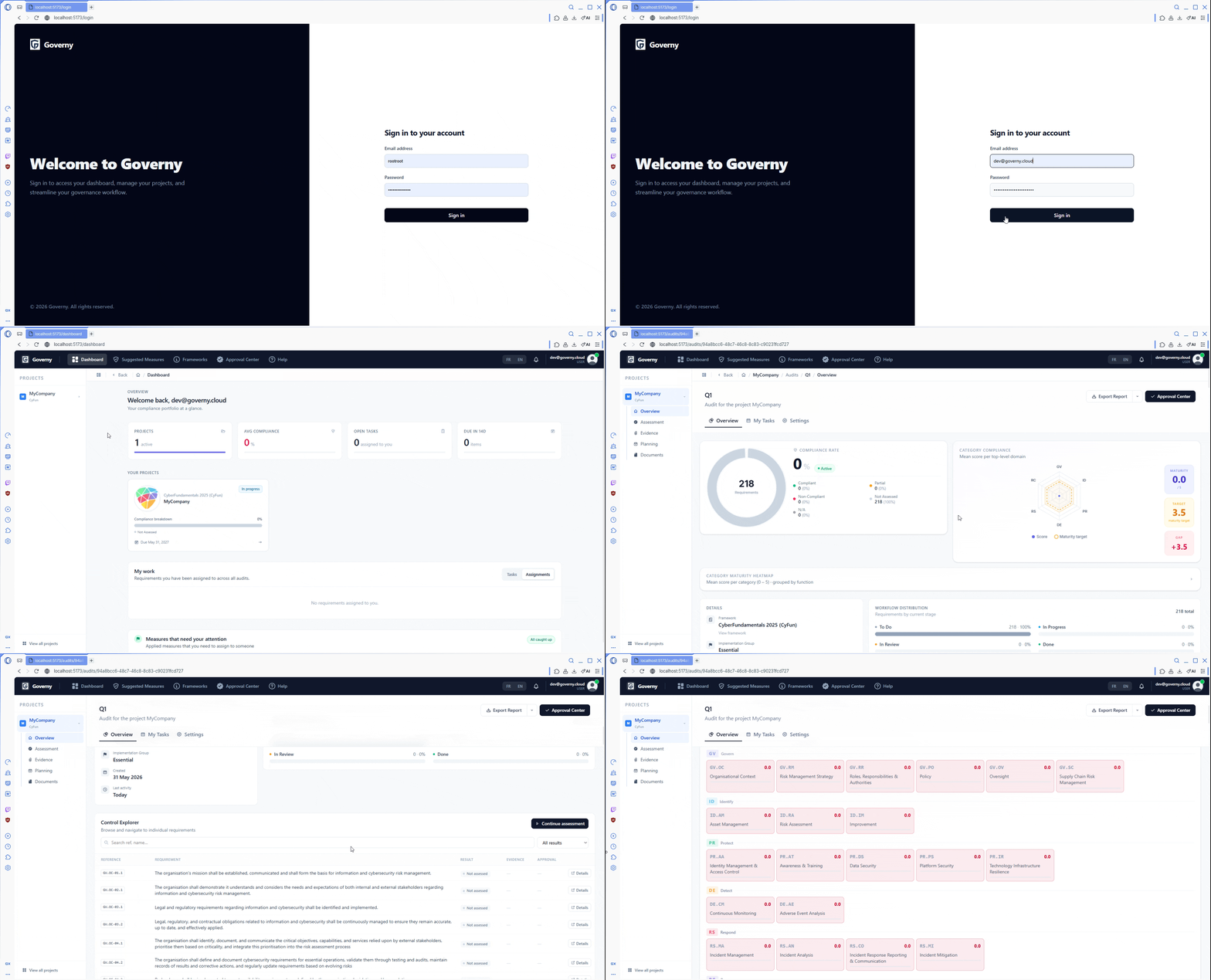
Everything in Governy is organised around two simple ideas:
- A workspace groups related work together — for example, all the compliance work for one company, one client, or one year.
- An audit is a single assessment of an organisation against one framework (such as ISO 27001 or GDPR). Each audit gets its own dedicated space with its own requirements, evidence, tasks, approvals, risk analysis and report.
A workspace can contain as many audits as you need, and the right people are given access to exactly the audits they should see — and nothing more.
Assessment
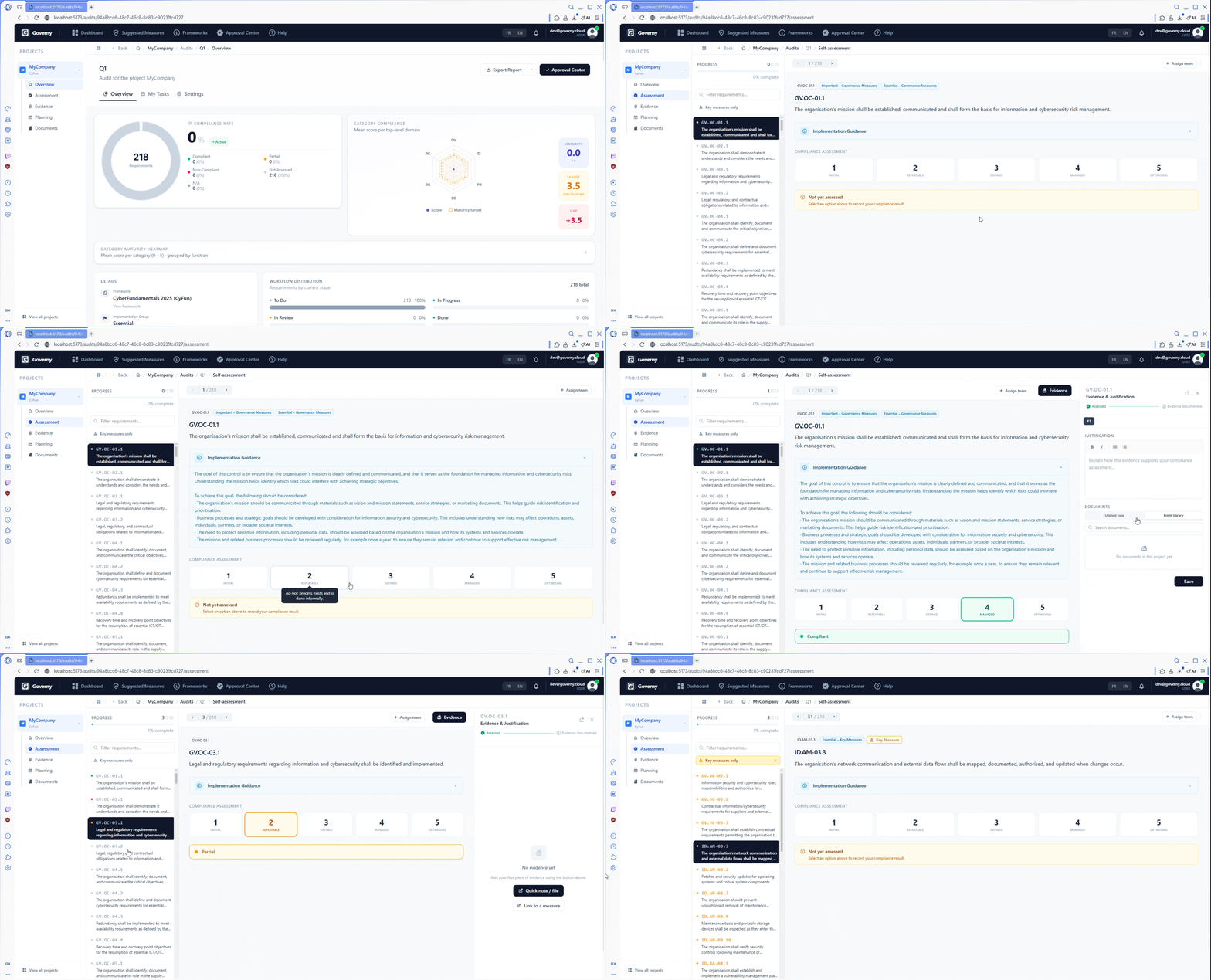
Assessment is the heart of Governy. Every audit begins with a structured, requirement-by-requirement review of how well your organisation meets the chosen framework. This enhanced self-assessment brings together clear scoring, an at-a-glance dashboard and automatic remediation suggestions, so the people closest to each control can record where they stand and immediately see how to improve.
Compliance scoring
Each requirement is reviewed on its own and given one of five clear statuses:
| Status | Meaning |
|---|---|
| Not Assessed | Default state — not yet reviewed |
| Compliant | The control is fully in place |
| Partially Compliant | The control is partly in place |
| Non Compliant | The control is not in place |
| N/A | The control does not apply to this organisation |
Statuses can be changed at any time as work progresses, so the audit always reflects reality.
Compliance dashboard
Every audit opens on an overview that shows, at a glance, how far the assessment has progressed and where the organisation stands. Progress bars and completion rates let everyone — from the analyst doing the work to the executive sponsoring it — understand the state of play in seconds. Reviewers can filter requirements by status to focus only on what still needs attention.
Suggested measures
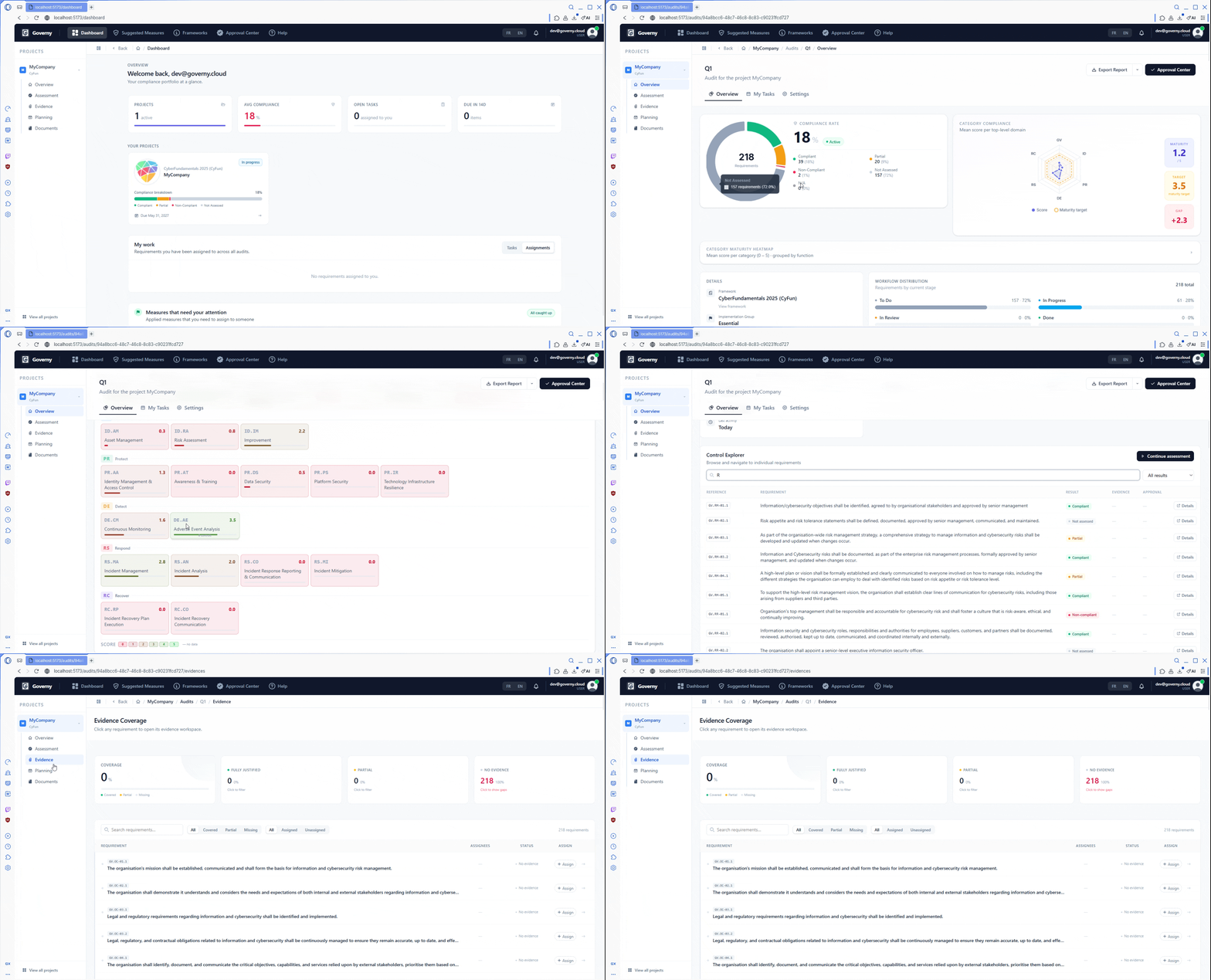
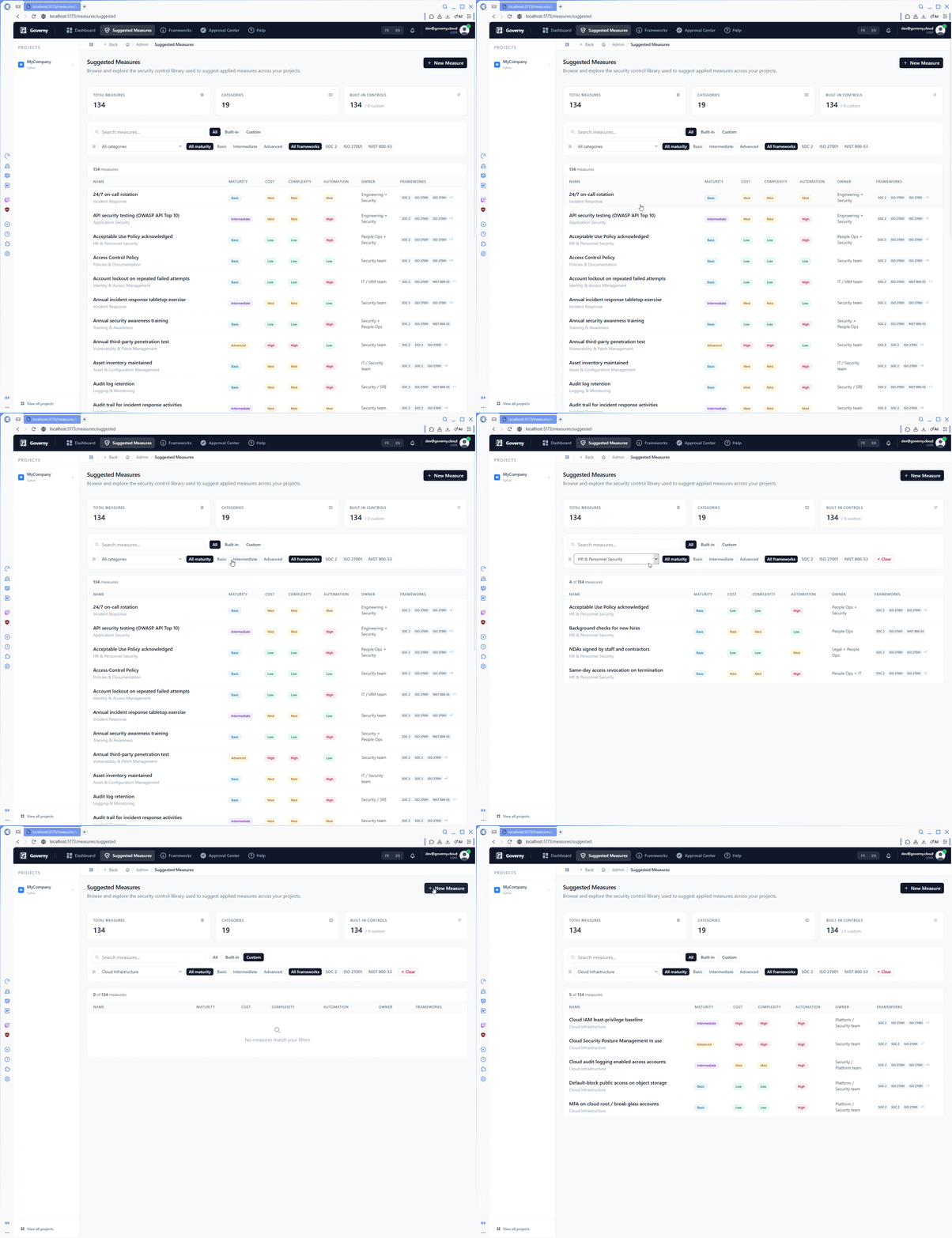
As requirements are assessed, Governy automatically proposes concrete actions to close the gaps it finds. Each suggestion is rated on two easy-to-grasp dimensions:
- Compliance impact — how much addressing it improves your overall score
- Implementation effort — how much work it is likely to take
Teams can filter by framework or by effort level — making it easy to pick off quick wins first or to plan high-impact work deliberately.
Approval workflow
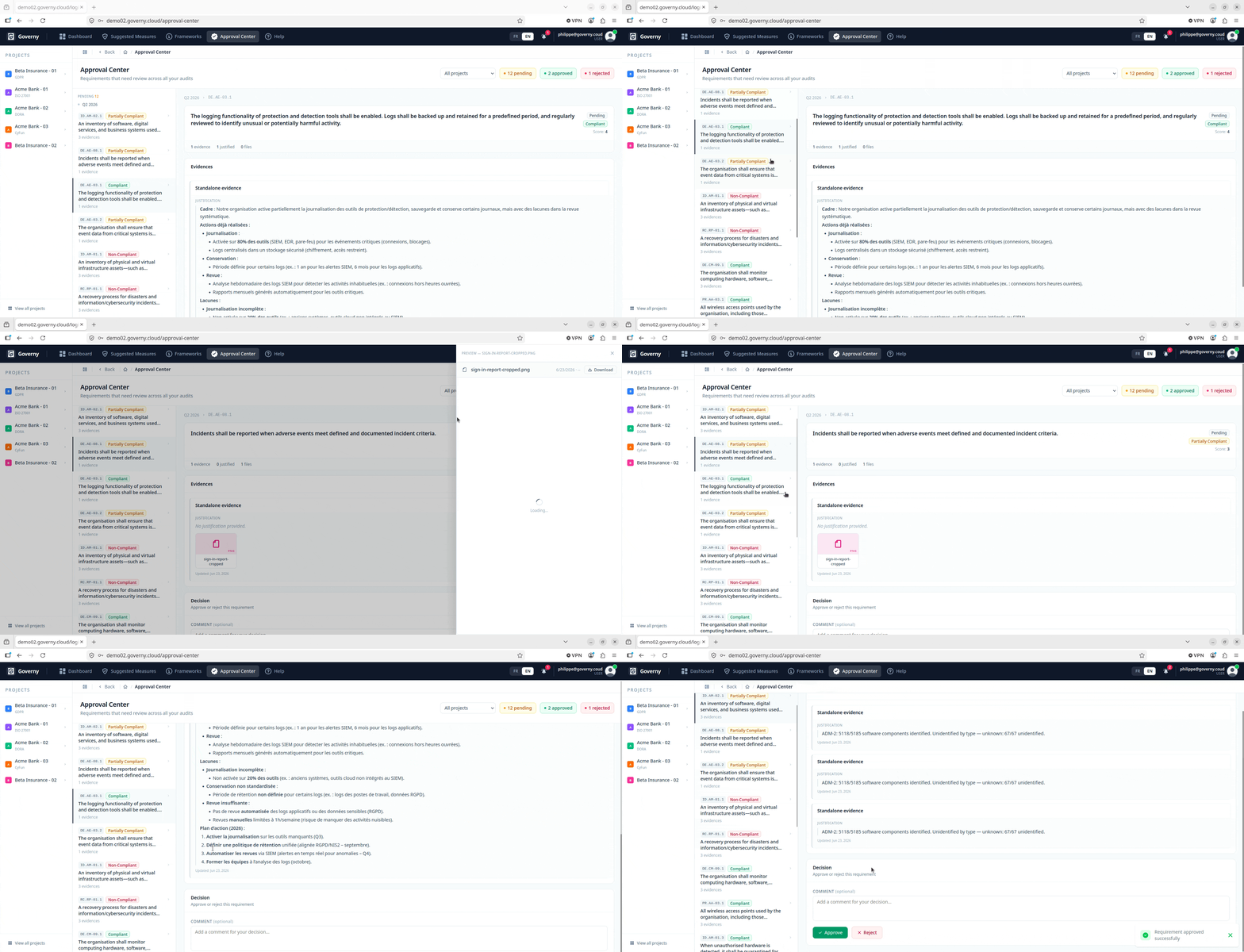
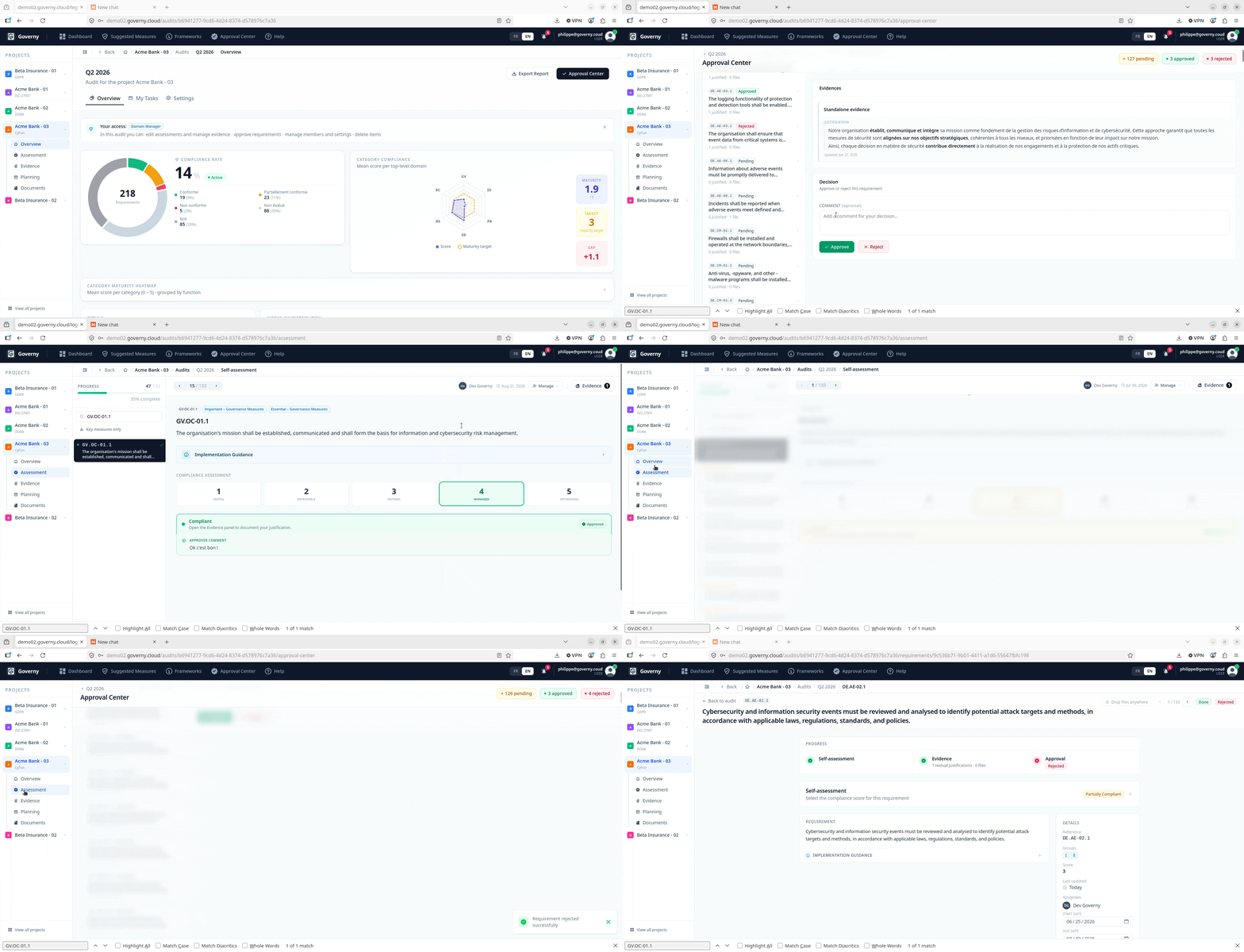
When a requirement has both a score and supporting evidence, Governy routes it to the audit’s approvers automatically — there is no separate “submit” button to remember. Approvers then approve or reject each item with an inline comment, building a clear, attributable record of who reviewed what and when.
Two complementary views keep reviewers efficient:
- Global Approval Center — one queue showing everything awaiting approval across every workspace on the platform
- Audit-level Approval Center — the same queue, narrowed to a single audit, ideal for a dedicated reviewer
Statement of Applicability (ISO 27001)
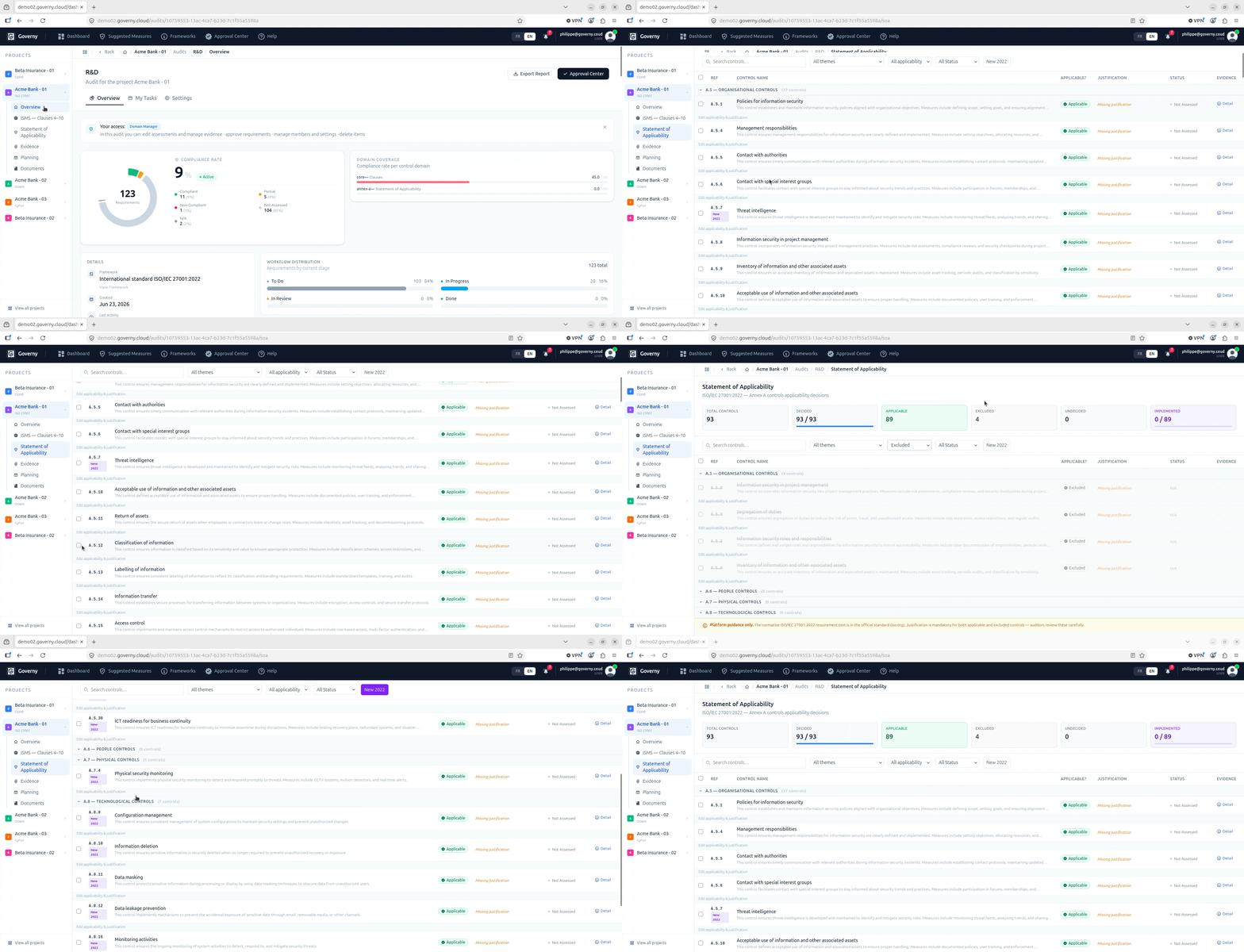
ISO 27001 audits include a dedicated Statement of Applicability (SoA) workspace. All 93 Annex A controls are laid out in a structured grid; for each one, the auditor declares whether it is Applicable or Not Applicable and records a written justification. The 11 controls introduced in the 2022 revision are clearly labelled. Export of the SoA is deliberately blocked until every control has a decision — so a document can never leave the platform half-finished.
Report generation
Once an audit is far enough along, a polished compliance report can be generated straight from the platform. The report pulls together assessment results, evidence summaries and compliance metrics into a single professional document that is ready to share with management, clients or certification bodies.
Risk analysis
New in 1.3
Since Governy 1.3, every audit includes a risk analysis built on EBIOS-RM, the reference method published by ANSSI. Where the assessment tells you whether each control is in place, the risk analysis tells you which controls matter most — and the two are connected, so there is never any double entry.
Risk register
A guided setup walks the team through the EBIOS-RM workshops step by step: the assets to protect and the feared events that could affect them (rated by severity), the risk sources and scenarios that could lead to them (rated by likelihood), and finally the treatment — linking each scenario to the requirements of the audit that keep it under control. Each scenario receives a risk level of Low, Moderate, High or Critical; High and Critical scenarios are the priority risks the platform keeps in front of the team.
The register is shared by every audit in the workspace and can be explored through four views: an overview with the risk matrix and a plain-language exposure verdict, the register itself, an impact diagram tracing each requirement through the scenarios it treats to the assets at stake, and a treatment queue listing what still needs to be linked, worst risk first.
Linking risk and compliance
Once scenarios are linked to requirements, two optional directions can be switched on in the audit settings:
- Risk → Assessment — requirements that treat a high risk count for more in a risk-weighted compliance rate, shown alongside (never instead of) the framework’s official score.
- Assessment → Risk — compliant requirements lower the residual risk of the scenarios they treat, shown beside the inherent level. A treatment can lower a risk’s likelihood by at most one level, so a critical risk is never reported as harmless because boxes were ticked.
Both are off by default, and both are explained in full on the Risk Analysis page.
Documentation & evidence
Governy treats proof as a first-class part of compliance. Every control, finding and policy can be backed by attached files and tracked throughout its life.
Evidence management
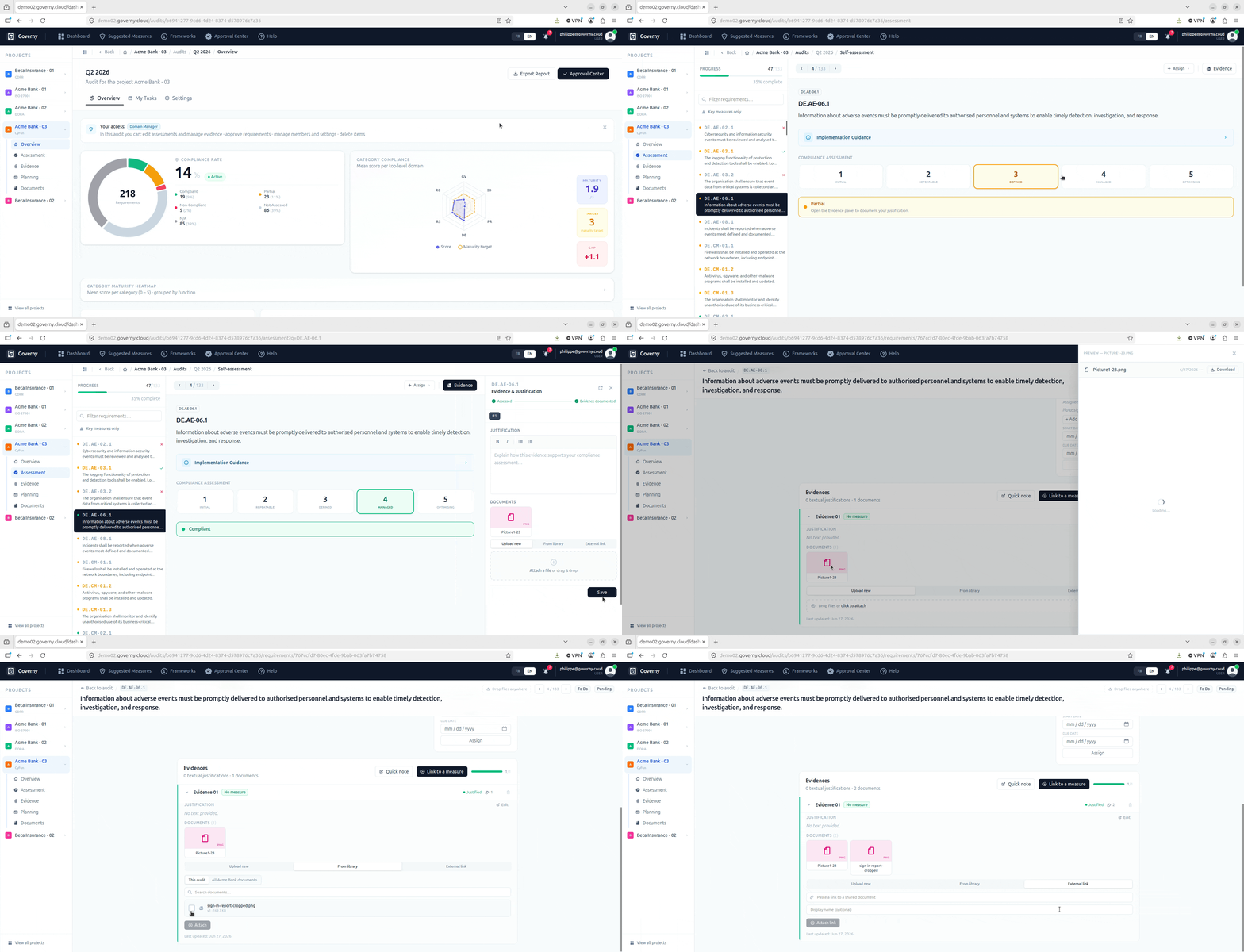
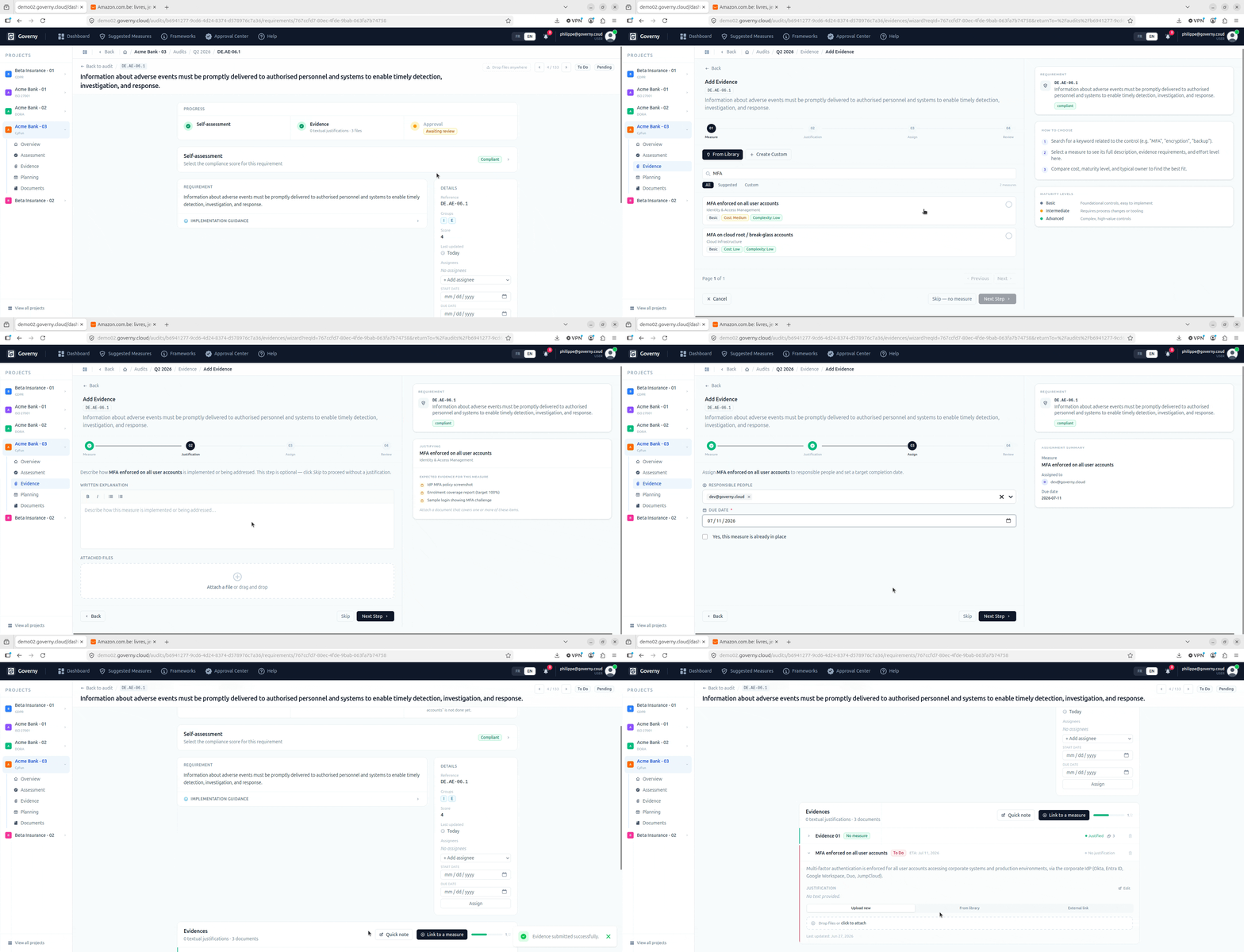
Any requirement can have evidence attached directly to it — files, documents and supporting materials. Evidence is tracked per requirement with version history, so teams can always see the latest proof and what came before it. The Evidences tab gives a single, cross-audit view of everything that has been collected.
Proof does not always have to be a freshly uploaded file. The same document can serve several requirements at once — upload it once (or pick one already in the document library) and attach it wherever it applies, with no duplicate copies to keep in step and a single version history shared across them all. You can also attach an external link in place of a file — a web address, an intranet page or a shared-drive location — so evidence that already lives elsewhere can be referenced without moving it.
A built-in evidence wizard guides contributors step by step through attaching their materials, so even occasional users — such as an external auditee — can take part without any training.
Document library
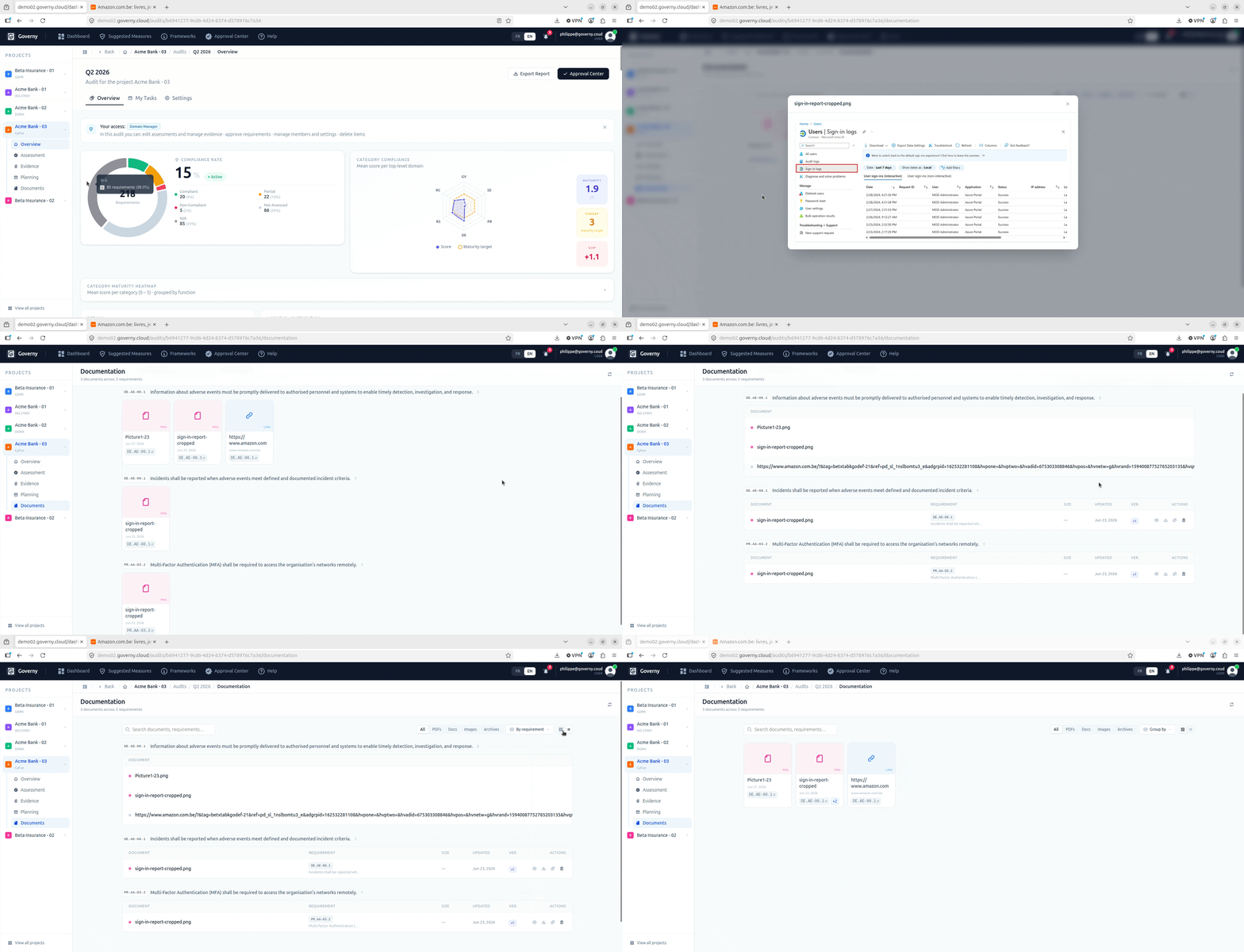
Beyond per-requirement evidence, each audit has a Documentation tab for audit-wide documents — security policies, procedures, third-party certifications and other reference materials that apply to the audit as a whole rather than to a single control. A document can be linked to a single requirement or to several at once, so a policy that satisfies multiple controls is recorded once and referenced everywhere it applies — with one shared version history kept in step across all of them.
Where your documents are stored
Administrators choose where each audit’s files are kept, from a single Storage screen in the platform settings. Governy can store documents on your own file server (SFTP) or on in-company object storage (S3-compatible) — and a built-in Test button confirms a location is reachable before anything is ever written to it. Different audits can be pointed at different storage locations, and sensitive material stays inside your own network by default, with any destination outside it clearly flagged. The full picture — residency, encryption and the safeguards behind it — is on the Security page.
Built-in file viewer
Documents can be read directly inside the platform, with no download required. The inline viewer supports common document formats, so a reviewer can open, read and validate a piece of evidence without ever leaving the audit.
Measures library
Governy maintains a reusable library of reference security controls — measures — that can be linked to audit requirements to document exactly how a control is being met. Over time this becomes a shared knowledge base of good practice mapped to framework requirements, making responses consistent across every audit your team runs.
Collaboration
Compliance is a team sport. Governy is built for several people to work together — dividing the work, tracking progress and bringing in the right person at the right moment.
Tasks
Each audit has a Tasks tab where action items can be created, assigned to a specific person and tracked through to completion. Because tasks live inside the audit, remediation work stays connected to the requirement it relates to — there is no separate project tool to keep in sync. Tasks can be followed as a simple list or on a Kanban board — cards moving across columns such as To do → In progress → Done — so the whole team sees at a glance what still has to be implemented to reach compliance, and who is responsible for each item.
Planning & milestones
The Planning tab lets teams set remediation milestones and deadlines, giving a clear schedule for moving requirements from non-compliant to compliant. This is especially valuable when working toward a fixed certification date.
Multi-user audit workspaces
Every audit supports several participants in different roles — analysts carrying out the assessment, approvers signing off, and auditees supplying evidence. The Users tab inside each audit lets administrators control who has access and in what capacity.
Invite-based onboarding
New people join through a simple email invitation: they receive a link, confirm their email address and they are in — no manual account creation by an administrator. This keeps onboarding effortless for external auditors, auditees and new colleagues alike.
Multilingual interface
The entire platform is available in English and French. Each person chooses their own language independently, which makes Governy a natural fit for cross-border teams and for serving clients in either language.
Workspace-level access control
Users and their roles are scoped to each workspace. One person can be an Analyst on one engagement and a Reader on another — so sensitive audit data is only ever visible to the people who genuinely need it. The roles available are described in detail on the Security page.